What Is Car Mode?
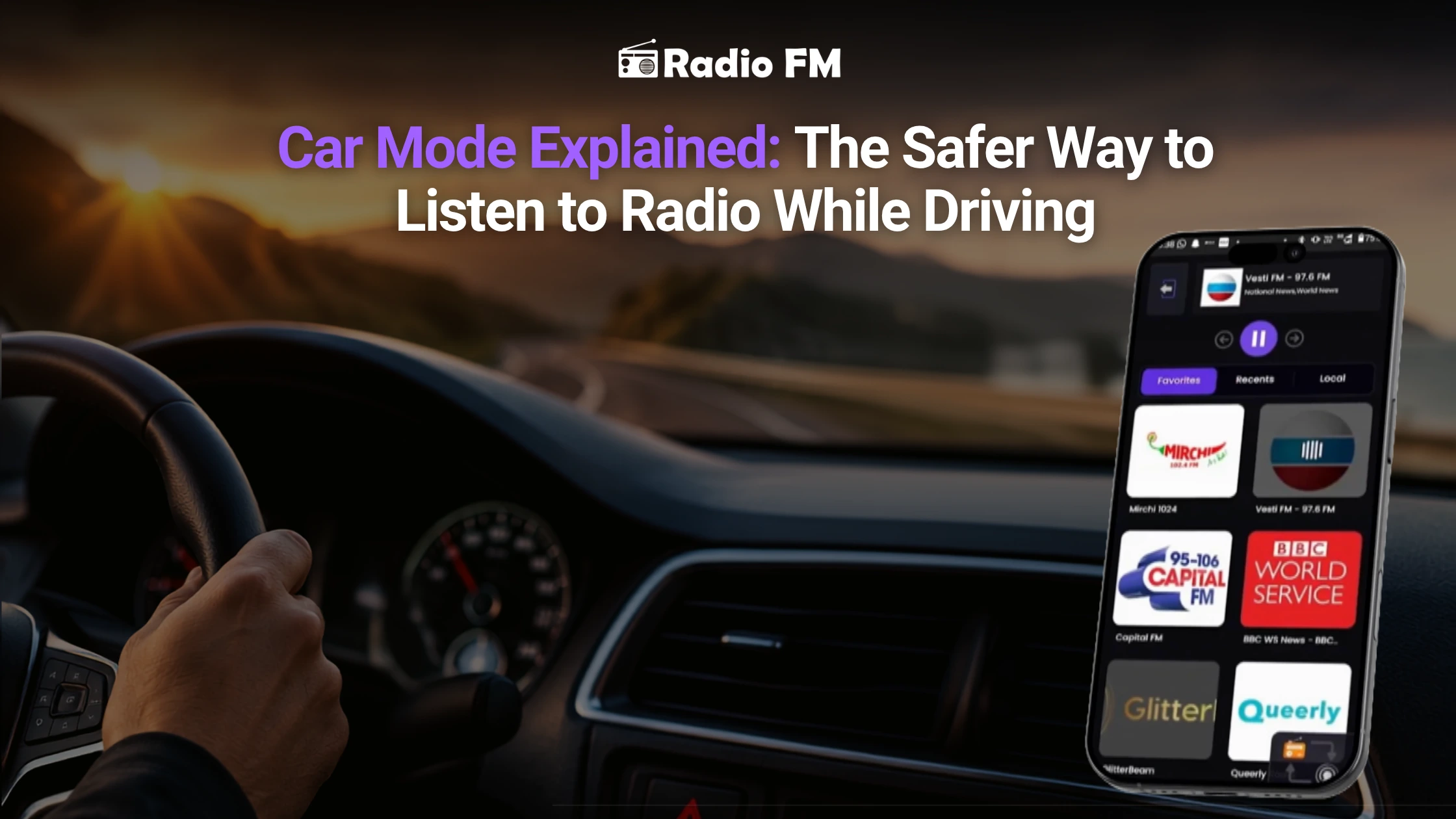
Car Mode is a feature that helps make driving safe and easy by simplifying the task of listening to the radio, music, and podcasts on your device while you are on the road. With its simple user interface and big buttons, it allows you to concentrate on driving rather than using your phone. Car Mode will be helpful if you often listen to the radio while driving.
If you travel to work, go on a road trip, or just do some errands, you probably like listening to something during this time.
Others like listening to podcasts, news, or to some radio stations of their choice.
However, there is one issue which is common for everyone.
While trying to switch channels, listen to podcasts, or to make any other adjustments while driving, one may easily get distracted. In addition, even a brief look at a phone may cause one's attention to be drawn from the road.
That is why almost users preferred car mode in Radio FM.
As opposed to offering numerous buttons and menus, it offers fewer options and allows spending more time driving rather than making adjustments on a phone.
Let's take a closer look at how it works and why more drivers are starting to use it every day.
How Driving and Listening Should Be Easy ?
You should be fully focused on driving already. Traffic can change rapidly, road signs can appear unexpectedly, and something unforeseen might occur anytime. You do not need to start pressing some keys, looking for the station you want to listen to from among dozens of other stations. Car Mode will help you to do everything much faster because the new interface is optimized for the use of the application in the car. You will not have any problems with navigating among big buttons.
What Functions Do These Changes Perform in Car Mode?
However, Car Mode is not only a change of design.
It alters the very user interface of the application.
The main aspects of Car Mode user interfaces include:
Increased sizes of playback controls
Enlarged station art
Easily accessible play/pause buttons
Fast access to favorite stations
Easy navigation
Simplified screen without any distractions
The whole process is simplified by making all functions that a driver needs reachable with only a couple of clicks. As a result, using the radio app becomes much more convenient.
Why is Online Radio Such a Good Driver Companion?
Though streaming playlists are rather convenient, radio is still different from it. When you listen to radio, you get a direct connection with live content. Live content can include breaking news, traffic information, weather updates, sports commentary, music, and hosts of the program. This is what makes radio so popular among the drivers across the globe. No matter if you are going to drive for ten minutes or several hours, radio is the best way to stay entertained because the content is constantly changing.
How Car Mode Makes Radio More Enjoyable?
Imagine you're halfway through your commute. Your favorite station starts playing a song you don't like. Normally, you'd need to unlock your phone, search for another station, and tap through several screens. With Car Mode, switching stations becomes much quicker. Everything is designed to be easier to see and easier to use. You spend less time looking at your phone and more time paying attention to what's happening on the road. Small improvements like this make a big difference during everyday driving.
Car Mode Is Helpful for Podcast Listeners Too
Car Mode isn't only useful for live radio.
If you enjoy listening to podcasts while driving, it can make that experience much smoother as well.
Long interviews, business podcasts, News Podcasts, technology discussions, news briefings, and educational content become easier to control with larger playback buttons and a simplified layout.
Whether you're catching up on the latest news during your morning commute or listening to a motivational podcast on a long drive, Car Mode helps you stay focused on the journey.
Using Car Mode in Radio FM
In Radio FM, our Car Mode is designed to ensure that you listen to the radio without any distraction. There’s no need for complex navigation through menus; all you have to do is select your stations and podcasts with a clean and user-friendly interface designed especially for car use.
Thanks to 55,000+ radio stations and 4.2M+ podcasts available, it becomes possible to listen to the radio from all over the world without losing much time. Listen to everything from music, sports, news, talk shows, and podcasts easily with the help of Car Mode.
Tips for Safer Listening on the Road
Car Mode makes it easier to listen, but nothing should be more important than your safety.
Here are some tips that may enhance your experience:
- Pick your station or podcasts before you start your trip.
- Store your favorite stations for quick tuning.
- Mount your phone rather than holding it.
- Use voice commands wherever possible.
- Do not unnecessarily adjust when the car is moving.
More Features That Improve Your Listening Experience
Car Mode is only one feature that makes radio listening more enjoyable.
Many listeners also use:
- Sleep Timer for listening before bed.
- Alarm to wake up with their favorite radio station.
- Favorites to quickly access frequently played stations.
- Podcast Library for discovering new shows.
- Background Playback to continue listening while using other apps.
Together, these features create a smoother listening experience throughout the day—not just while driving.
Final Words
Your car’s driving system and entertainment system should be able to coexist harmoniously instead of competing against each other for your attention. The Car Mode setting is designed to achieve this harmony by making your interactions with the radio app more efficient. You no longer have to spend time searching for your favorite station or podcast in the menus; now you can enjoy the content as well as the drive. Using the Car Mode is one easy adjustment that can make every single drive more comfortable and enjoyable for you if you are used to listening to the radio while driving.
Frequently Asked Questions
What is Car Mode in a radio app?
Car Mode is a simplified interface designed for drivers. It provides larger buttons, easier navigation, and quick access to playback controls, making it more convenient to listen to radio while driving.
Is Car Mode safe to use while driving?
Car Mode helps reduce distractions by simplifying the app interface. However, drivers should always keep their attention on the road and avoid interacting with their phone whenever possible.
Can I listen to podcasts using Car Mode?
Yes. Car Mode works with both live radio stations and podcasts, allowing you to control playback more easily while driving.
Why should I use Car Mode instead of the normal app interface?
The standard app interface usually includes more menus and smaller buttons. Car Mode offers a cleaner layout that's easier to use during a drive.