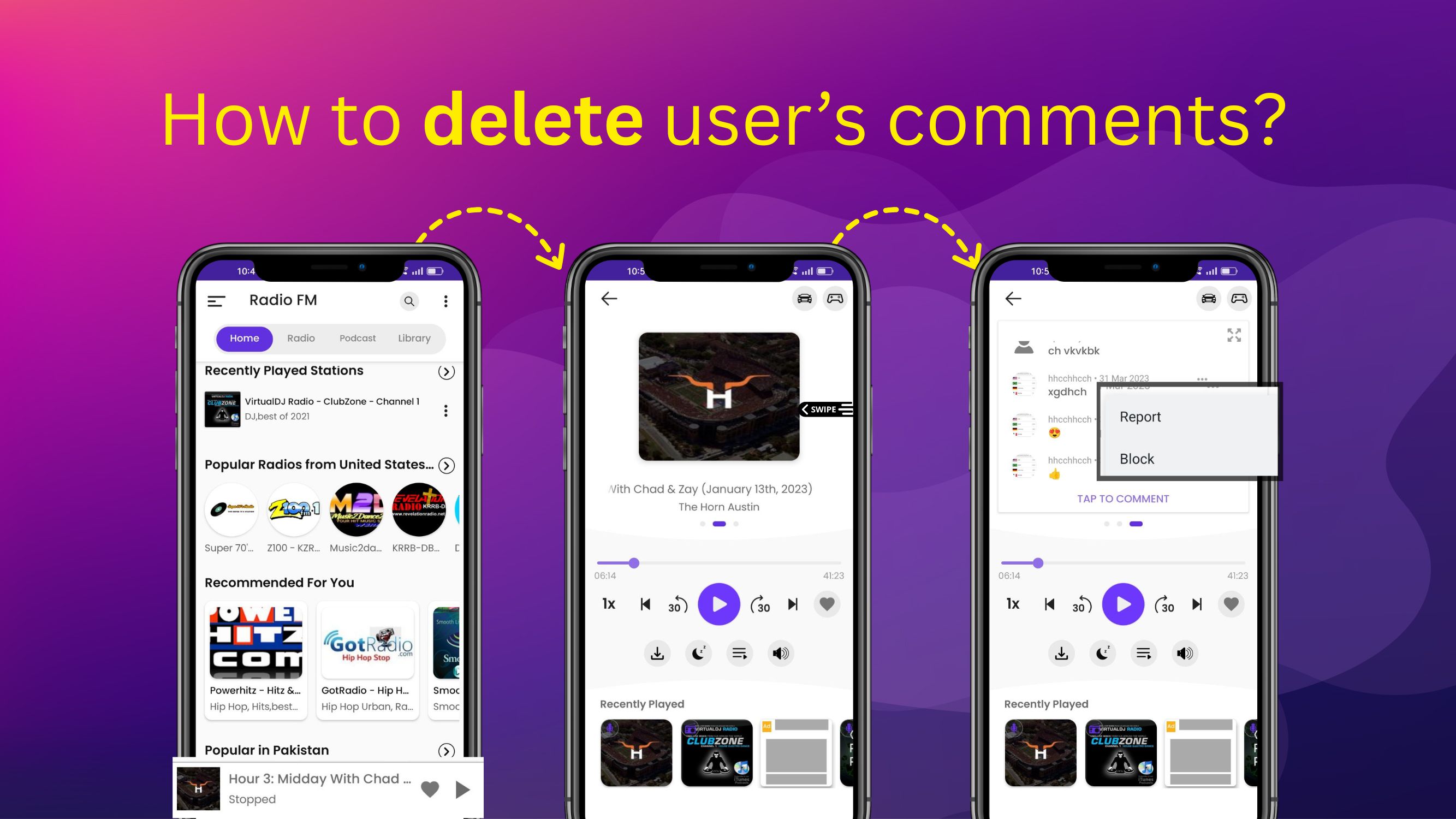
How can I delete a user’s comment in Radio FM?
You can remove a user’s comment in Radio FM by reporting it from the full player screen. This helps keep discussions respectful and relevant.
Steps to delete (report) a comment:
-
Open the Radio FM app
-
Go to the full player screen
-
Swipe left on the image to view comments
-
Tap the user’s profile image or the three dots next to the comment
-
Select Report