How can I enable or disable notifications in Radio FM?
You can enable or disable notifications for Radio FM from your phone’s system settings. This allows you to control alerts and updates according to your preference.
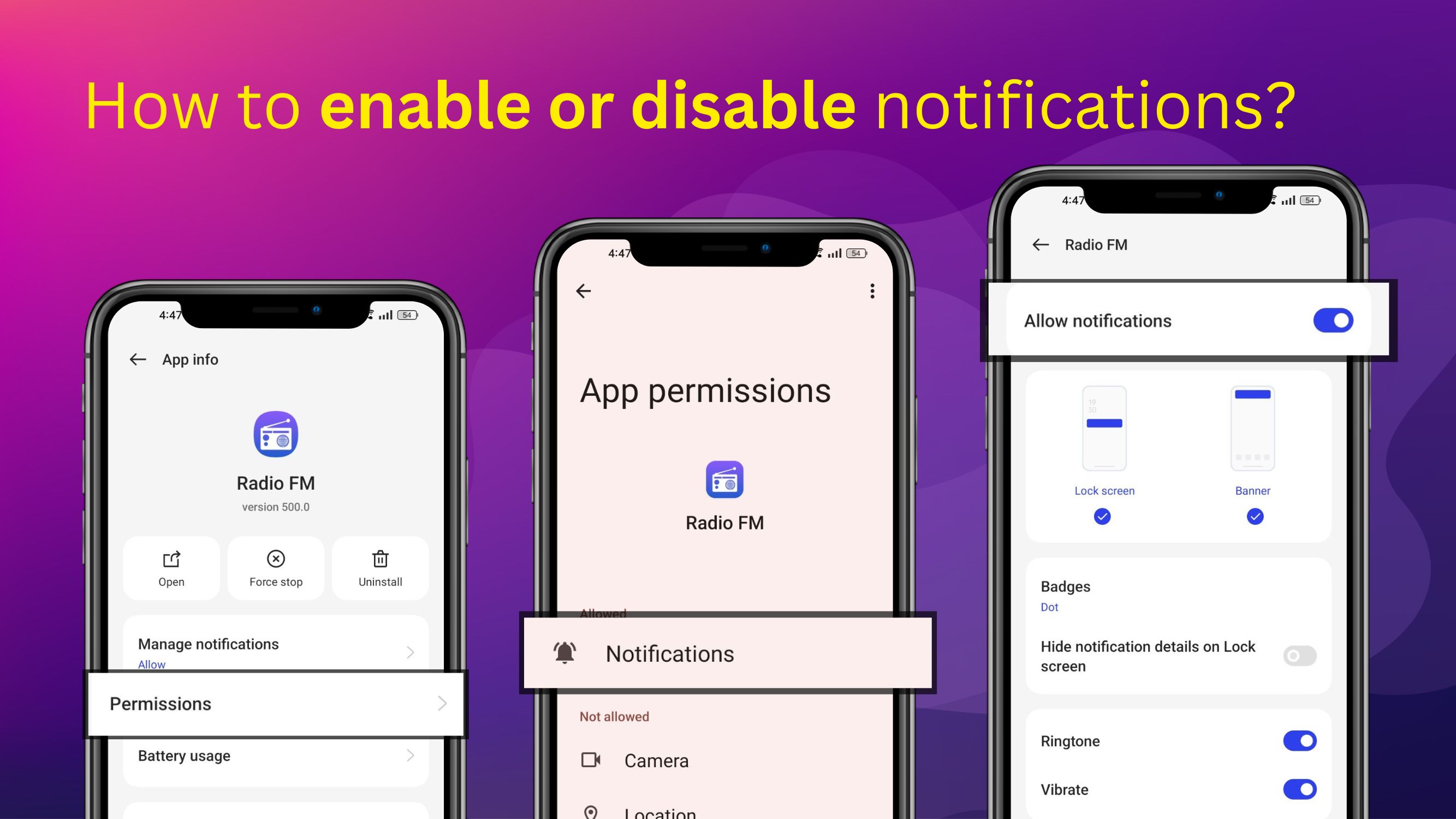
Steps to enable or disable notifications:
-
Open your phone’s Settings
-
Tap Apps or Applications
-
Select Radio FM from the list of installed apps
-
Open Permissions or Notifications
-
Turn notifications On or Off