
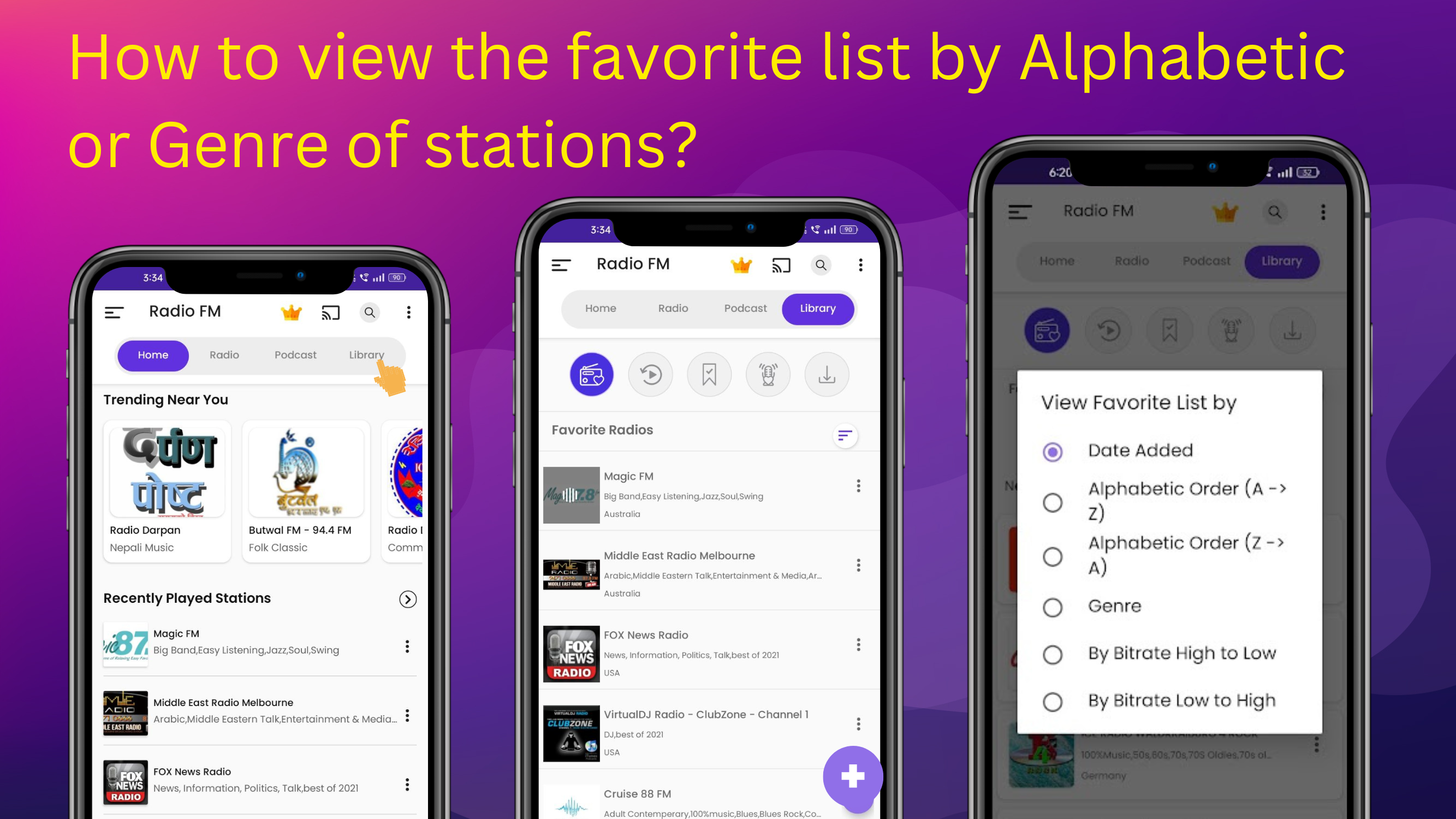
How can I sort my Favorites list by alphabet or genre in Radio FM?
You can sort your Favorites list in Radio FM either alphabetically or by genre using the sorting option. This makes it easier to find and manage your favorite stations.
Steps to sort the Favorites list:
-
Open the Radio FM app
-
Go to the Library section
-
Tap Favorites
-
Tap the sorting icon in the top-right corner
-
Choose Alphabetical or Genre